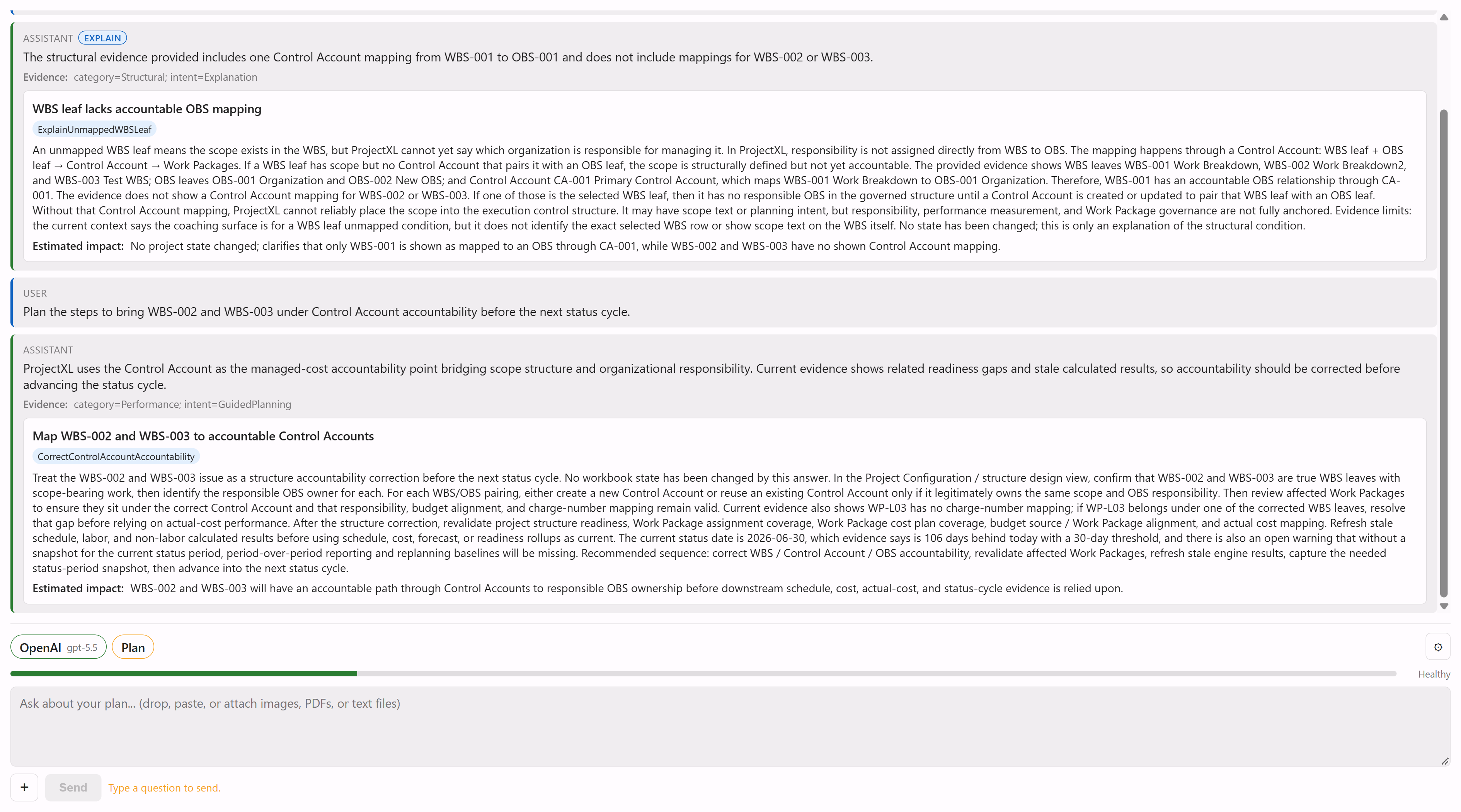
Context Aware AI
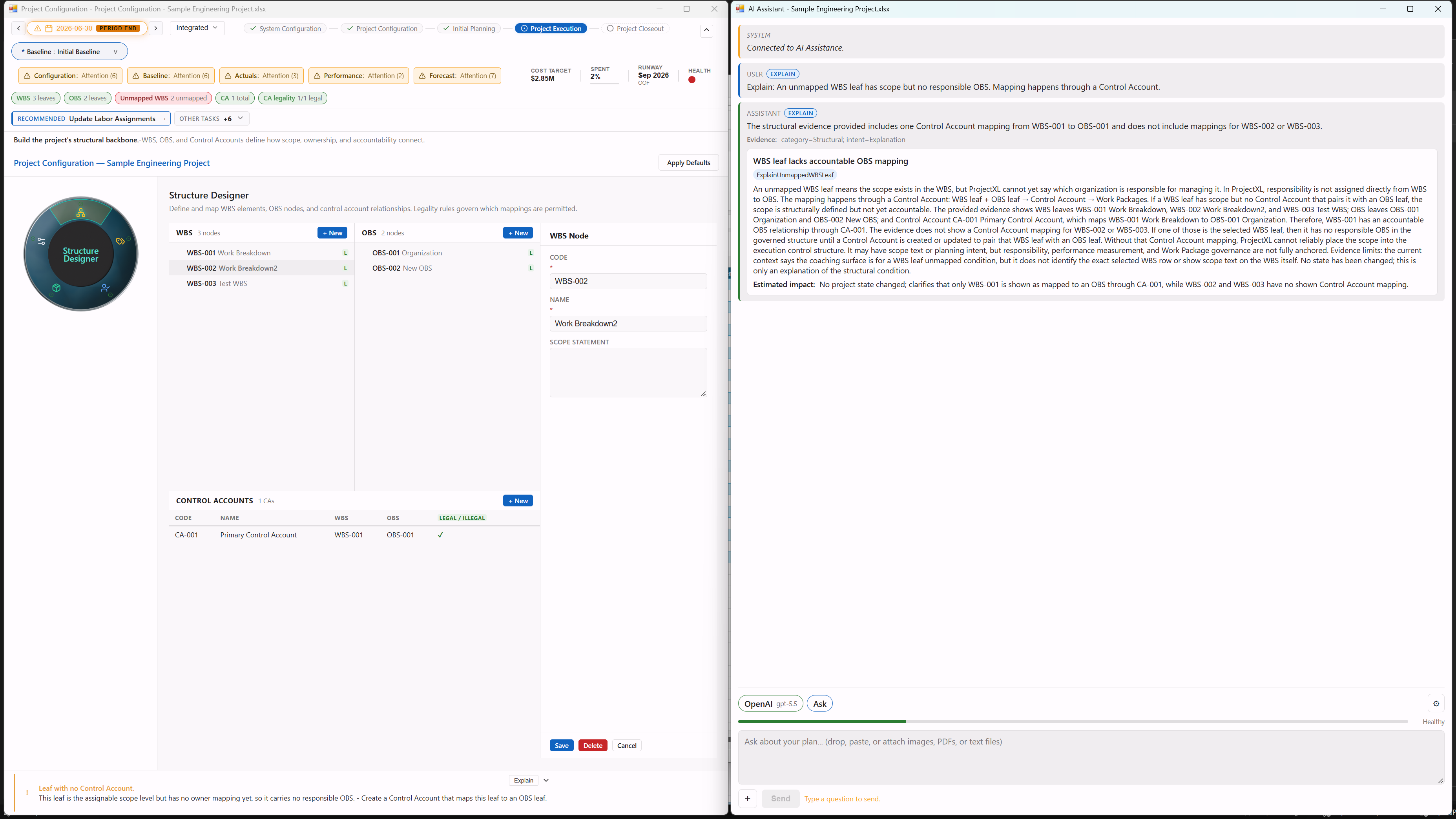
The AI assistant answers from your WBS, control accounts, work packages, validation results, and where the project stands in its lifecycle, and shows the evidence each answer used.
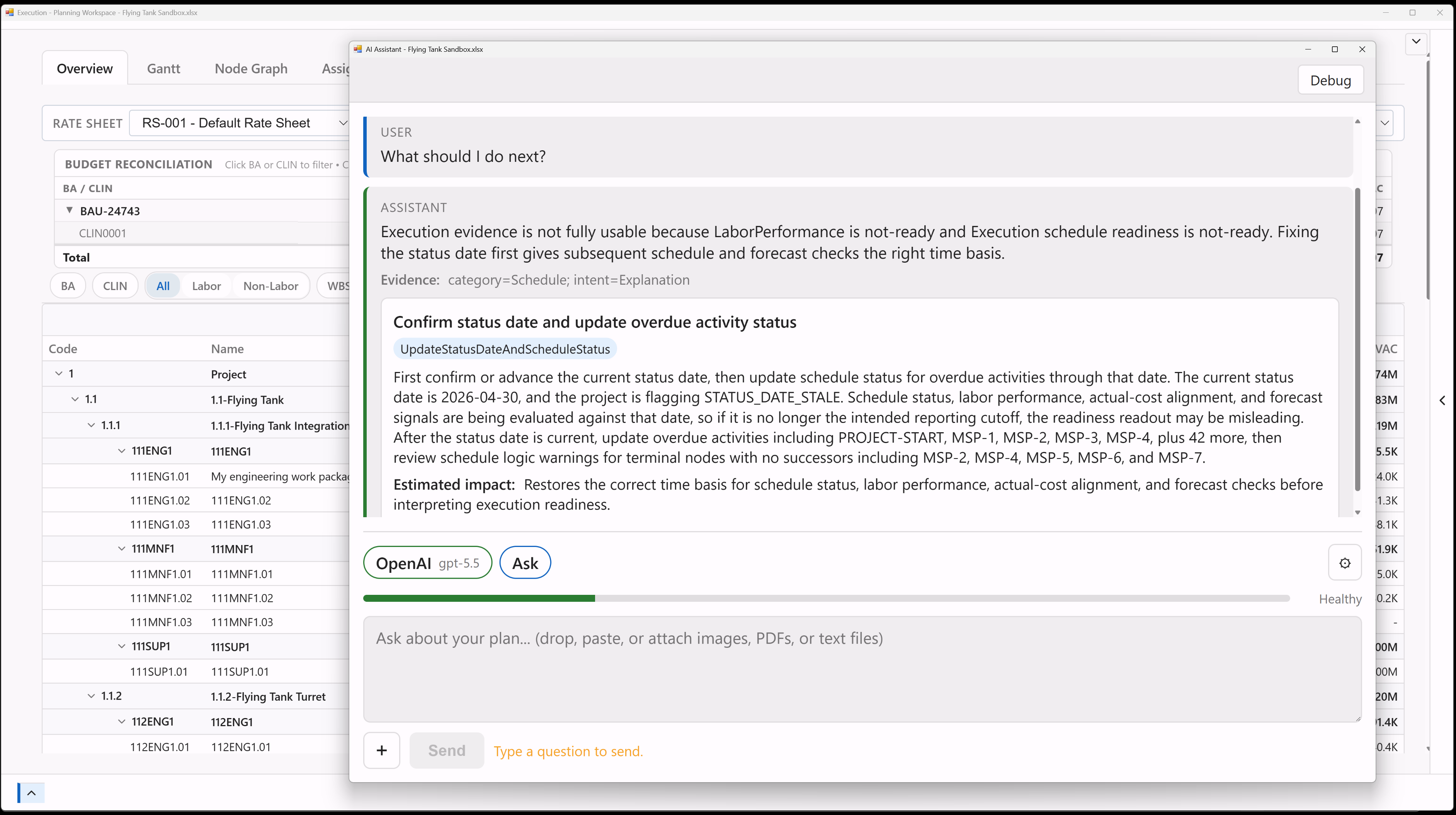
Bring Your Own AI Provider
Connect your own OpenAI, Anthropic Claude, Google Gemini, or xAI Grok key and choose the model for each conversation, so your organization picks the vendor and pays it directly.
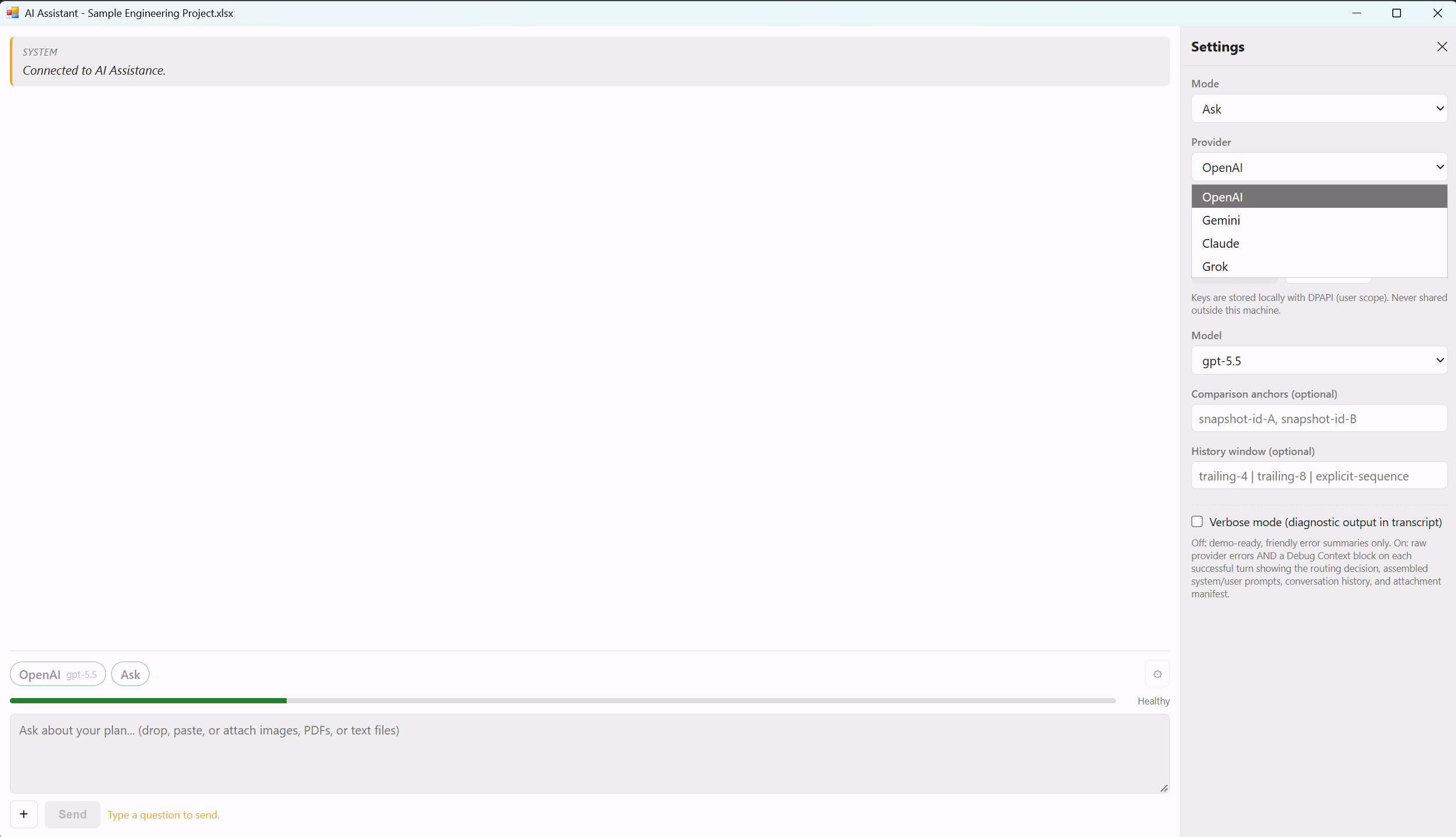
Your Keys, Your Data Path
API keys are encrypted on your own PC and requests go straight from Excel to the provider you chose, with no ProjectXL server in between.
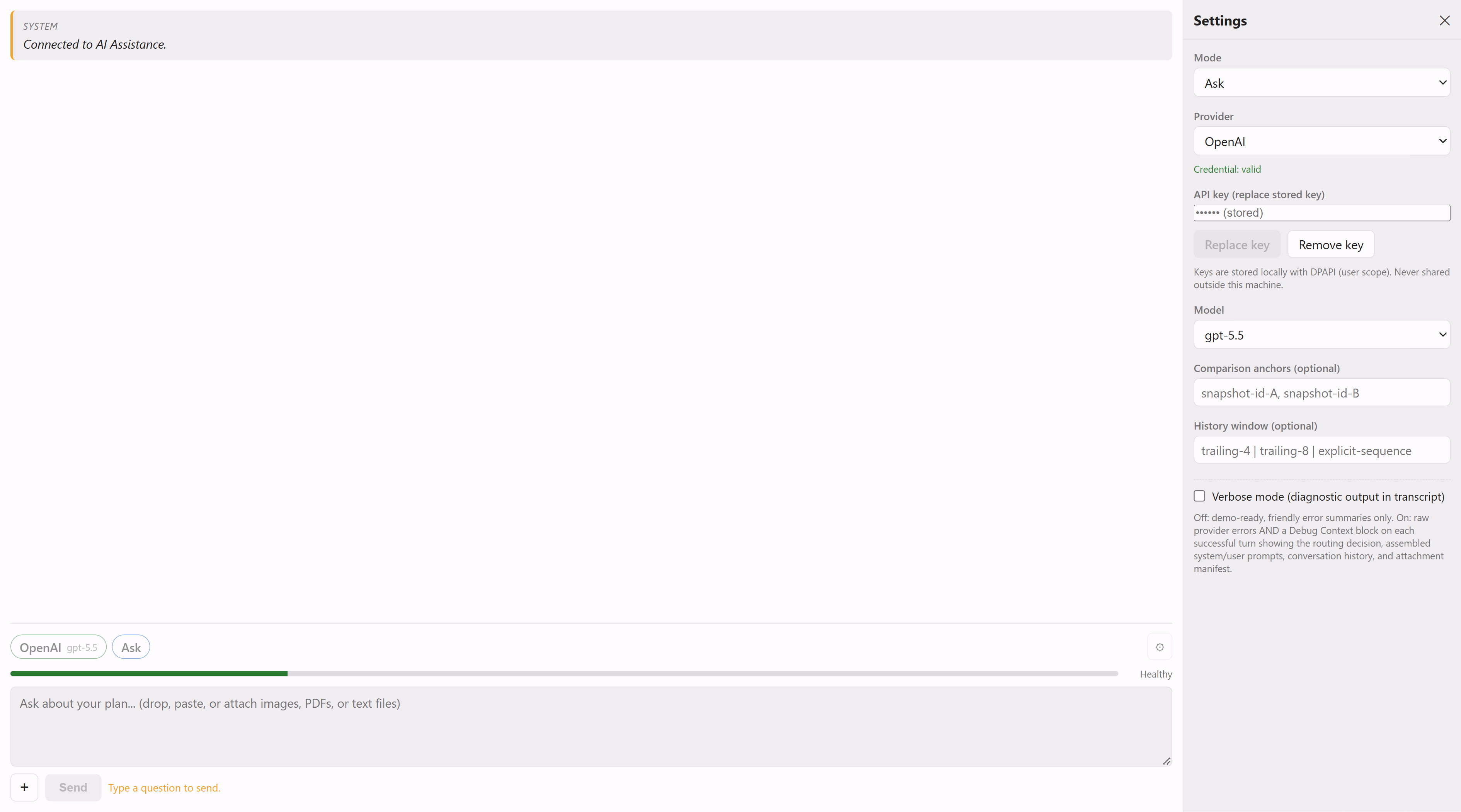
One-Click Explain
When a workspace flags a planning problem, such as a work package with no Basis of Estimate or EV method, Explain asks the AI why it matters and what to do, without retyping the question.
Ask or Plan
Ask for explanations and diagnosis, or switch to Plan for recommended next steps with their estimated impact, each one checked against a fixed response format before it is shown.